
Introduction
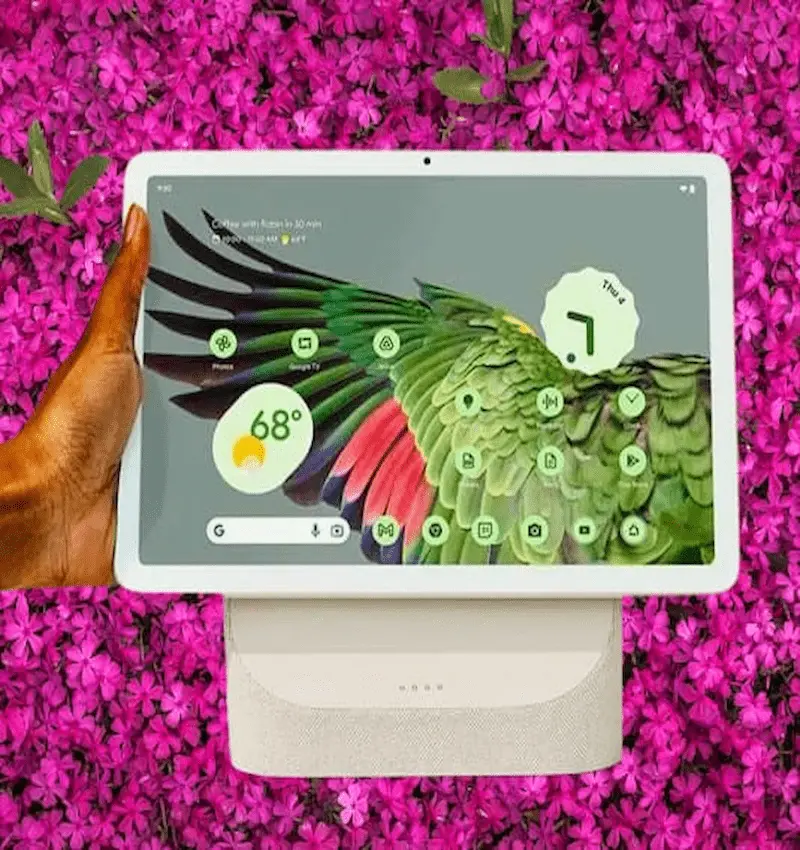
Google has re-entered its lineup of smart gadgets and introduced the Pixel Tablet — a device that can act as both a traditional tablet and a smart home display. When the tablet is placed on its magnetic charging speaker dock, it works like a Home Hub, and when detached from the dock, it’s like you’re using a full Android tablet. This model combines Google’s AI capabilities, powerful processing, and stylish design.
Google Pixel Tablet Specifications Features
Platform/Chipset:
- It uses the Google Tensor G2 chip, which is also in Google’s phones (like the Pixel 7). There is also a Titan M2 module for security.
Featured Display:
- It has a 10.95-inch LCD screen.
- The resolution is 2560 × 1600 pixels, and its aspect ratio is 16:10.
- The refresh rate is 60Hz — not a high refresh rate (eg 120Hz or 144Hz).
Memory and Storage:
- 8GBLPDDR5 RAM.
- Two storage options: 128GB and 256GB (UFS3.1).
Camera:
- Rear Camera: 8 Megapixel (f/2.0).
- Front Camera (Selfie): The same is 8MP.
- Both cameras are capable of recording 1080p video.
Battery and Charging:
- Battery capacity ~27Wh (approx. 7,020mAh).
- Charging speed: 15W (via USB-C and via dock).
- When docked, adaptive charging is used to preserve battery life for longer periods of time.
Connectivity:
- Wi-Fi 6 (802.11 a/b/g/n/ac/ax).
- Bluetooth is 5.2.
- There is an Ultra‑Wideband (UWB) chip, which may help with location or other advanced applications in the future.
System and Updates:
- The device first came with Android 13.
- Google guarantees updates: about 3 years of Android updates and 5 years of security updates.
D_SIGN AND CONTENT:
- The body is 100% recycled aluminum and has a nano-ceramic coating, which feels soft and luxurious to the touch.
- Three colors are available: Porcelain (white/creamy), Hazel (greenish gray) and Rose (pink).
- Weight is about 493 grams.
Audio and Additional Features:
- The device has four speakers when it is in tablet mode, so that the sound is better.
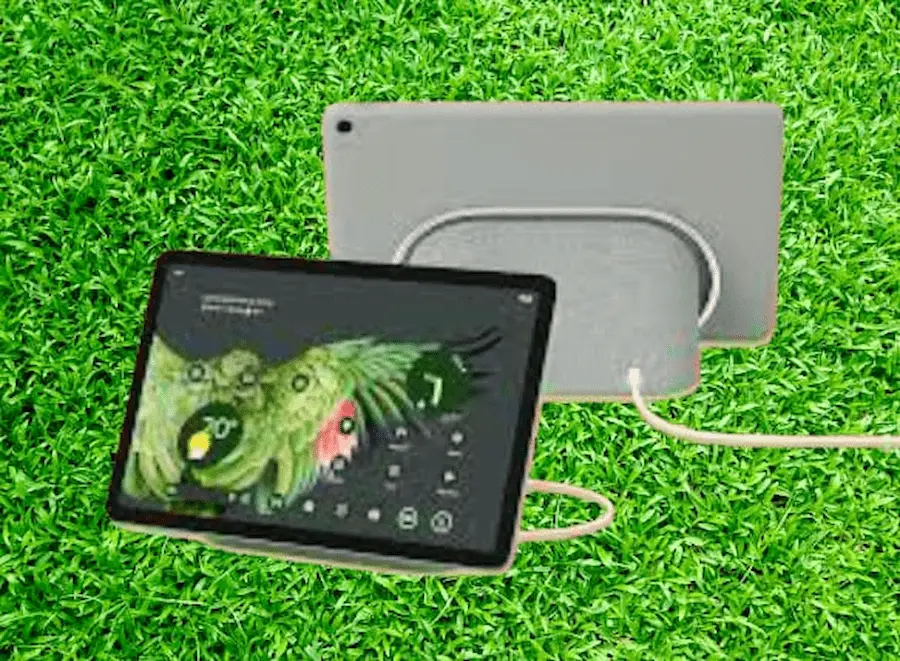
- Charging Speaker Dock: It’s not just a base station, but a speaker and charging base. When the tablet is placed on it, it goes into Hub Mode and acts as a smart home control, Google Assistant and photo frame.
- The fingerprint sensor is located on the back above the power button, providing easy security and quick access.
Google Pixel Tablet price in Top Countries
| 🇺🇸 | United States | USD 399 |
| 🇬🇧 | United Kingdom | GBP 399 |
| 🇪🇺 | Germany | EUR 499 |
| 🇨🇦 | Canada | CAD 589.6 |
| 🇦🇺 | Australia | AUD 677.6 |
| 🇮🇳 | India | INR 36,652 |
| 🇮🇩 | Indonesia | IDR 6,771,600 |
| 🇵🇭 | Philippines | PHP 24,983.2 |
| 🇳🇬 | Nigeria | NGN 341,000 |
| 🇸🇦 | Saudi Arabia | SAR 1,650 |
Google Pixel Tablet Pros And Cons
✅ Pros:
- Dockable design: With the dock, this tablet transforms into a smart display, making it versatile for the home.
- Powerful processor: Multitasking, app editing and gaming can be done smoothly due to the power of Tensor G2.
- Round color and eco-friendly design: recycled aluminum body and beautiful physical finish.
- Good battery life: Up to 12 hours of video streaming is claimed by Google.
- Smart home integration: A docked tablet acts as a Google Assistant and Home control panel.
❌ Cons:
- 60Hz screen: Many competing tablets offer a 90Hz or 120Hz refresh rate, which makes gaming or scrolling more fluid.
- Charging Slow: Only 15W charging is supported, which is low by today’s fast charging standards.
- Dock’s Audio/Design Limitations: Users described the Dock’s speakers as having average audio and limited functionality.
- First-Gen Flaws: Some reviewers say the tablet is a “good idea” but has room for improvement in hardware and software.
Google Pixel Tablet Buying Tips
1. Consider what you need: If you want to use the tablet more — watching videos, running apps — the docked version will be more useful. But if you just want mobility, the dockless version is better.
2. Check for update support: Google talks about at least three Android updates and five years of security updates, which could be important in the future.
3. Charging accessory: Since charging speed is limited, use a good USB‑C charger to avoid damage and improve battery life.
4. Screen Protection: Since this is a large display, it would be advisable to use a screen protector or case, especially if children use it.
5. Consider location: If you want to use it as a smart display, place the dock in a location in the home where voice and home controls are easily accessible.
Frequently Asked Questions
Question 1: Does the Pixel Tablet have 5G or cellular connectivity?
Answer: No, this model is Wi-Fi only and does not support mobile networks (such as LTE or 5G).
Question 2: Is the dock available separately?
Answer: Yes, the dock can be purchased separately. Initially it came with it, but now Google has released the tablet in a dockless version as well.
Question 3: Is it suitable for video calling?
Answer: Yes, both the cameras are 8MP and are more than enough for casual video calls. But it’s not a pro camera tablet, so it’s best for background use or classic video calling only.
Question 4: Is this tablet ok for gaming?
Answer: For light to medium level games it gives enough performance, mainly because of Tensor G2. But the 60Hz refresh rate of the screen can become a limitation in large and graphics-intensive games.
Question 5: Can it be used as a Home Hub?
Answer: Yes, when the tablet is docked, it goes into Hub Mode and provides features like the Google Home dashboard, Assistant controls and becoming a photo frame.
Conclusion
Google Pixel Tablet is an interesting and innovative device that offers a beautiful combination of traditional tablet and smart home display. Its dockmode is very special—taking it beyond just a tablet and making it a central control unit for the home. In terms of processing power, software support and design, this is a tablet that could be part of the Google Echo system.
But if you want a high refresh rate, fast charging, or gaming rig, other tablets might be better choices. Before buying, carefully evaluate your preferences, purpose of use and budget.
Add Your Review